Many SaaS teams expense everything because software accounting feels ambiguous. This is usually incorrect under ASC 350-40.
QuickBooks Online does not enforce capitalization rules, so accountants must configure the workflow manually.
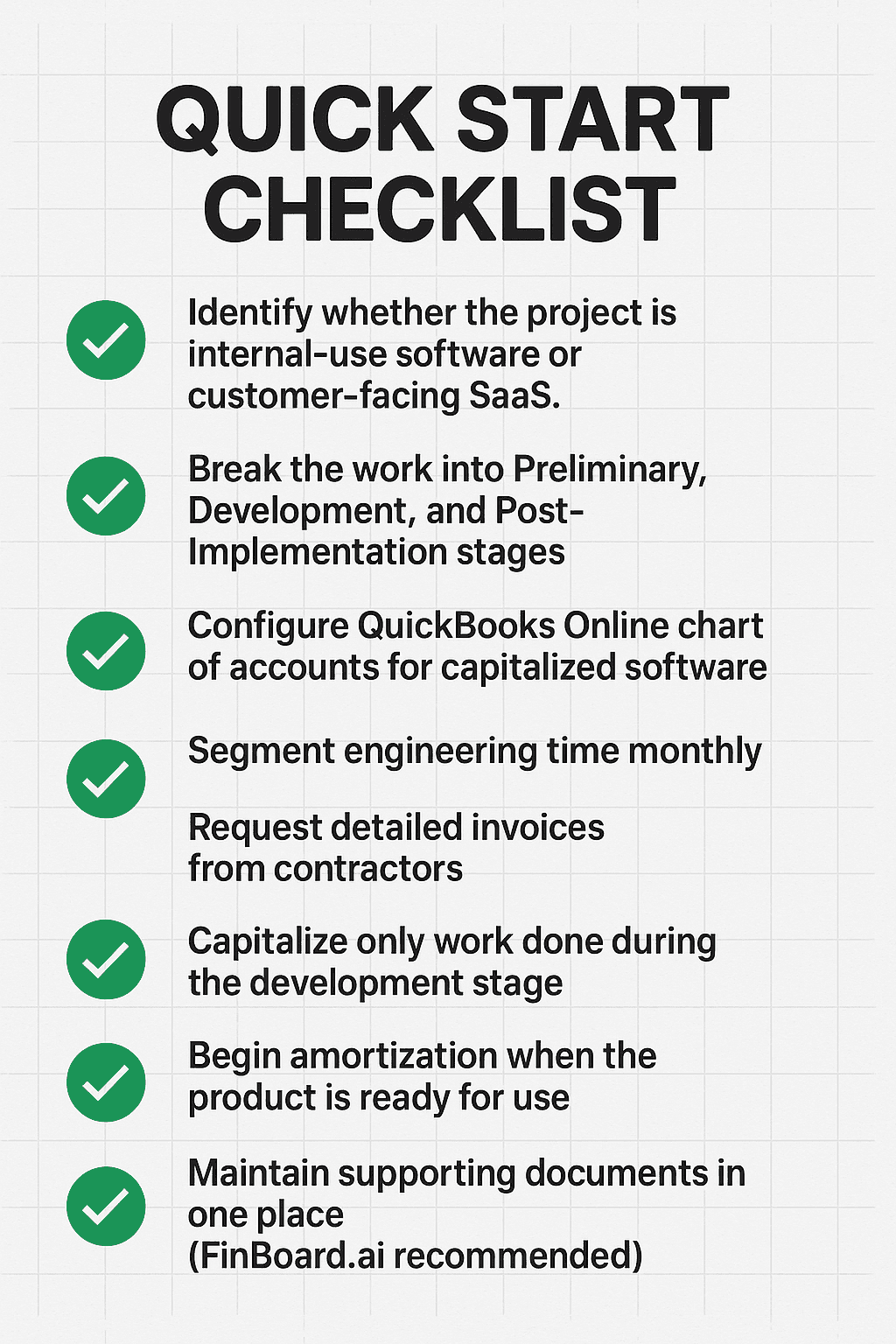
The key is knowing which costs belong to the Preliminary Stage, the Development Stage, and the Post-Implementation Stage.
Capitalizing software without proper documentation creates audit and valuation problems later.
FinBoard.ai simplifies the work by pulling QuickBooks Online data, flagging capitalizable transactions, and building audit-ready documentation.
Executive Summary
The challenge is not the rulebook. The challenge is the day-to-day workflow inside QuickBooks Online. QuickBooks Online does not categorize software development costs automatically, nor does it separate capitalizable engineering time, contractor fees, or implementation costs. This forces accountants to build a manual process that is consistent, auditable, and scalable.
This guide explains, in practical SMB-friendly language, how to identify capitalizable software costs, when to expense them, how to document the decisions, and how to operationalize everything inside QuickBooks Online. Real SaaS scenarios are included, along with a QuickBooks Online-centric mini-case. FinBoard.ai’s automation capabilities are explained wherever they help streamline the workflow.
Main Sections
1. Why Software Cost Accounting Is Confusing for SaaS Teams
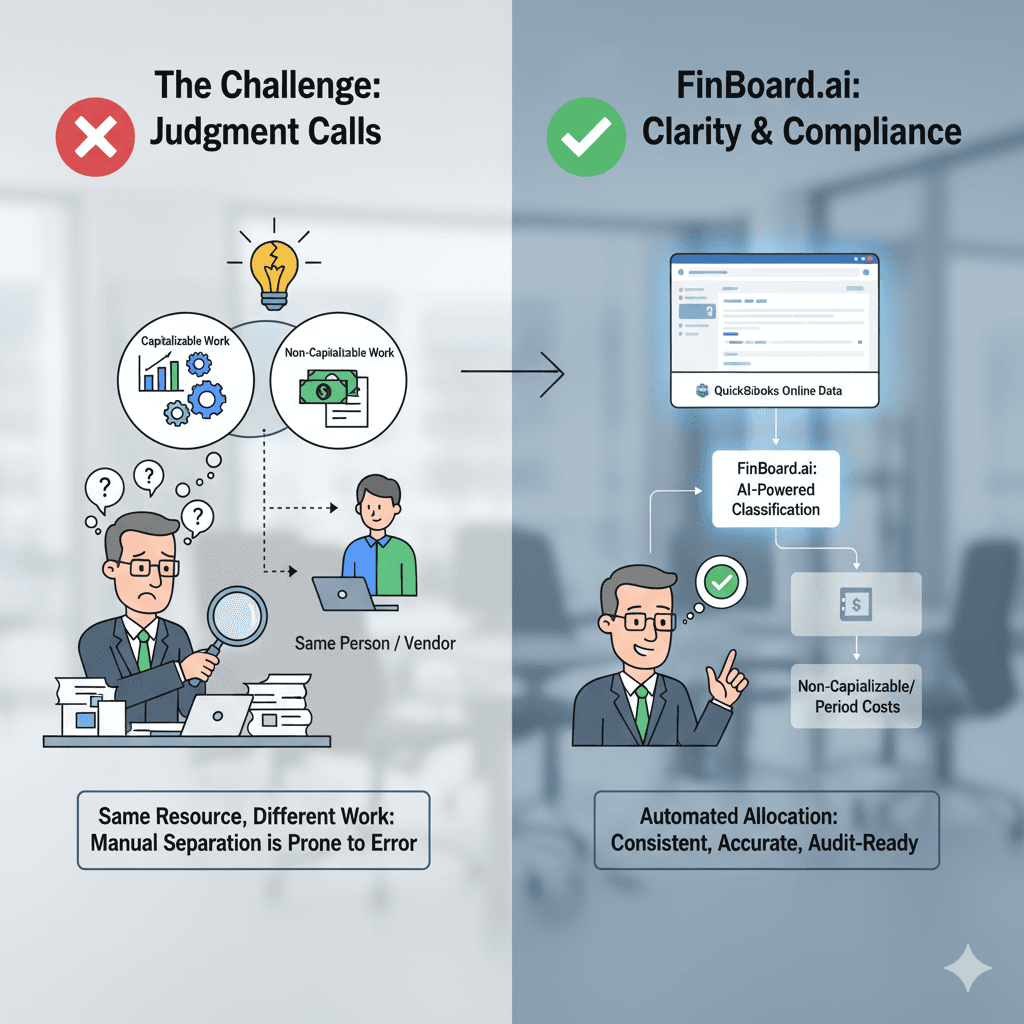
Common reasons SaaS teams get this wrong
Engineering payroll is routed to “Salaries” without any project segmentation.
Contractors issue invoices with vague descriptions such as “Development Work”.
Cloud hosting costs are confused with development costs.
Product enhancement and bug fixes get mixed together.
QuickBooks Online has no native tool for tracking software capitalization stages.
Real example from a SaaS FP&A client
A client building a scheduling platform capitalized AWS expenses for the entire year. After review, only the environment provisioning during the development phase qualified. The rest were operating costs.
Why this matters
Incorrect classification affects:
Gross margin
EBITDA
Tech spend ratios
Valuation multiples
Banking covenants
A wrong treatment can force a restatement. No finance team wants that conversation.
2. Understanding ASC 350-40 in a Practical Way
ASC 350-40 divides software costs into three stages:
2.1 Preliminary Project Stage (Always Expensed)
This is the exploration phase:
Researching tools
Planning architecture
Discussing whether to build or buy
Proof-of-concept trials
Vendor comparisons
These must always be expensed.
Real SaaS Example
Your CTO and engineering lead spend two weeks evaluating whether to build a new billing engine. All salaries and external consulting fees here are expensed.
2.2 Application Development Stage (Capitalizable)
This is the only stage in which certain costs are capitalized.
Includes:
Coding
Configuration
Testing
Integrations
API development
Dev environment setup
UX development
Data conversion (if essential)
Capitalizable costs include:
Salaries + payroll taxes for development staff
Contractors doing development
Software licenses needed for development
Cloud resources specifically used for development
Real SaaS Example
You hire a contractor to build a Stripe integration. The invoice clearly describes development of the integration, testing, and deployment. This is capitalizable.
2.3 Post-Implementation Stage (Expensed)
After the system is ready for use, ongoing costs must be expensed.
Examples:
Bug fixes
Maintenance
Monitoring
DevOps for upkeep
Customer support features
Minor enhancements
Real SaaS Example
Your engineering team spends a week fixing bugs after launch. These hours are expensed.
3. Real-Life SaaS Scenarios (With Judgement)
Scenario 1: Rebuilding the Analytics Module
Week 1: CTO evaluates whether to use Snowflake or BigQuery → Expensed
Weeks 2–10: Developers build ETL pipelines and dashboards → Capitalized
Week 11 onward: Bug fixes and UI tweaks → Expensed
Typical misunderstanding
Teams often capitalize Week 11, but GAAP requires expensing after “ready for intended use”.
Scenario 2: Contract Developers Doing Mixed Work
A contractor issues monthly invoices:
“Platform enhancements”
“Performance tuning”
“Feature upgrade”
How it is treated:
Feature upgrades during development → Capitalized
Performance tuning after launch → Expensed
Enhancements after launch → Expensed unless they add substantial new functionality
Best practice
Ask vendors to break the invoice into separate line items.
Scenario 3: AWS Spending During Development
AWS invoice includes:
EC2 dev environment
Staging environment
Production environment
RDS backups
Treatment:
Dev environment (during build) → Capitalized
Staging environment → Sometimes capitalized
Production environment → Expensed
Backups → Expensed
Audit tip
Keep architecture diagrams showing which resources were tied to development.
4. How To Operationalize Software Capitalization in QuickBooks Online
QuickBooks Online does not offer automation, so the accountant must set up a repeatable workflow.
4.1 Step 1: Create Accounts
Balance Sheet:
“Software Development Costs (Capitalized)”
“Accumulated Amortization – Software”
P&L:
“Software Development Expense”
“Engineering Salaries”
“Contract Development Expense”
4.2 Step 2: Capture Development Stage Costs
Use:
Journal entries for payroll allocation
Vendor bill coding rules
Classes or tags for project tracking
Best practice
Assign every engineer and contractor to a cost bucket at least monthly.
4.3 Step 3: Monthly Capitalization Entry
Move costs from expense accounts to the capitalized asset account.
Example journal entry:
Account | Debit | Credit |
Software Development Costs (Capitalized) | 120,000 | |
Engineering Salaries | 80,000 | |
Contractor Fees | 40,000 |
4.4 Step 4: Start Amortization
Most SaaS companies choose 3 years straight-line.
How FinBoard.ai Helps
FinBoard.ai connects to QuickBooks Online and provides:
Auto-flagging of capitalizable transactions
Uses vendor names, bill descriptions, and cost patterns.
Example: If the word “integration”, “API”, or “module build” appears, the system flags it.
Engineering payroll allocation workflows
Allocates salary by role or percentage.
Supporting documentation repositor
Stores invoices, JIRA exports, design docs, sprint summaries.
Amortization automation
Creates schedules and pushes journal entries into QuickBooks Online.
The result is a clean audit trail that satisfies lenders and investors.
6. Tool/Workflow Comparison Table
Workflow | Pros | Cons | Best For |
Manual QuickBooks Online tagging + spreadsheets | Full control | Error-prone, no audit log | Small teams with simple projects |
FinBoard.ai automation | Flags costs, creates auditable schedules, syncs with QuickBooks Online | Requires clean data | Teams with recurring projects |
7. Mini-Case: Capitalizing a New Feature Build in QuickBooks Online
A SaaS company building a customer portal undertakes a 4-month project.
Background
$75,000 developer payroll
$20,000 contractor invoice
$12,000 AWS developmen resources
$9,000 design contractor
Portal goes live on August 1
Treatment
Architecture planning in April → Expensed
Coding from May–July → Capitalized
Bug fixes in August → Expensed
Journal Entry Example
Monthly during build (May–July):
Account | Debit | Credit |
Software Development Costs | 35,333 | |
Engineering Salaries | 25,000 | |
Contractor Fees | 6,667 | |
AWS Dev Environment | 4,000 |
FinBoard.ai Workflow
Auto-imports the contractor invoice and identifies development-related line items.
Flags AWS dev instances based on cost category.
Creates monthly amortization starting August 1.
Exports the JE to QuickBooks Online.
8. Risks & Mitigations
Risk | Why It Happens | Mitigation |
Over-capitalizing salaries | No time tracking | Monthly allocation templates |
Capitalizing post-launch bug fixes | Unclear project boundaries | Document “ready for use” date |
Misclassifying hosting costs | AWS invoices are complex | Use tagging rules |
Audit challenges | Missing documentation | Store all support in FinBoard.ai |
Misaligned amortization | Manual errors | Automated schedules |
9. FAQ
1. Can SaaS companies capitalize product development?
Yes, if the cost meets the definition of Application Development Stage work under ASC 350-40.
2. Can engineering managers’ salaries be capitalized?
Yes, if their work directly relates to development.
3. Can QA testing costs be capitalized?
Yes, during development. No, after go-live.
4. Can cloud hosting be capitalized?
Only the portion directly tied to development environments.
5. How long should software be amortized?
Three years is most common, but the team must assess useful life.
10. Glossary
ASC 350-40 — The US GAAP guidance for internal-use software.
Preliminary Stage — Research and planning phase; always expensed.
Development Stage — Coding and configuration; eligible for capitalization.
Post-Implementation Stage — Maintenance phase; expensed.
Capitalization — Recording qualifying costs as an asset.
Amortization — Spreading the asset cost over its useful life.
Internal-Use Software — Software built for internal operations.
Useful Life — The expected economic life of the software.