Negative goodwill, or bargain purchase gain, arises when acquisition cost is less than fair value of net assets.
QuickBooks Online does not provide a dedicated module for recording negative goodwill.
Recording requires manual journal entries, mapping the gain to Other Income or a custom account.
Misclassification risks audit issues, misstated financials, and tax errors.
This guide provides step‑by‑step instructions, case examples, and risk mitigation strategies.
Tools like FinBoard.ai helps to achieve this.

Executive Summary
Negative goodwill, commonly called a bargain purchase gain, occurs when a business acquires another company for less than the fair value of its net assets. Under US GAAP (ASC 805), the acquiring company must recognize this gain immediately in earnings. QuickBooks Online, widely used by small and mid‑market companies, does not include dedicated acquisition or M&A accounting workflows. Consequently, accountants, controllers, and bookkeepers often face confusion regarding the appropriate accounts, journal entries, and presentation in the profit and loss statement.
This article clarifies negative goodwill recognition in QuickBooks Online. It explains GAAP requirements, demonstrates manual journal entry processes, outlines reporting strategies, and provides checklists and mini‑case scenarios. Risks associated with workarounds are highlighted, and best practices ensure financial statements remain audit‑ready and compliant. By following the steps in this guide, finance professionals can handle negative goodwill in QuickBooks Online confidently, while minimizing errors and maintaining compliance with US GAAP.
Table of Contents
Understanding Negative Goodwill
QuickBooks Online Limitations and Workarounds
Step‑by‑Step Journal Entry for Negative Goodwill
Reporting and Financial Statement Presentation
Tool and Workflow Comparison
Mini Case: Acquisition in QuickBooks Online
Risks and Mitigation Strategies
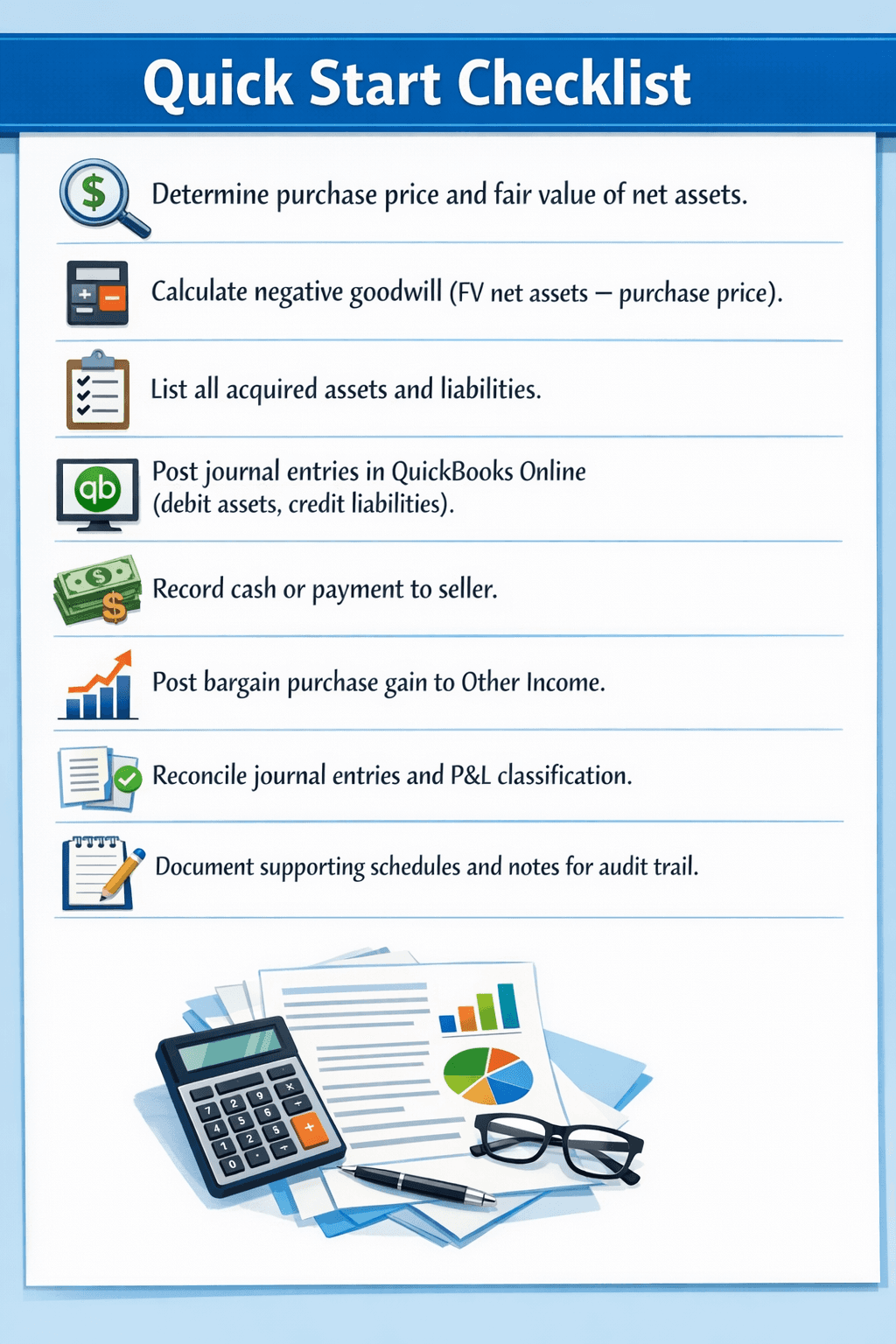
Quick Start Checklist
Frequently Asked Questions
Glossary
1. Understanding Negative Goodwill
Definition: Negative goodwill occurs when the purchase price of an acquired business is less than the fair value of its net assets. This is considered a bargain purchase gain under US GAAP (ASC 805‑30‑25‑1).
Key Points:
It is recognized immediately in earnings, not amortized like regular goodwill.
Often arises from distressed acquisitions, forced sales, or negotiated deals.
Misclassification may lead to overstated assets or understated net income if not properly recorded.
Concept | Positive Goodwill | Negative Goodwill |
Definition | Purchase price exceeds fair value of net assets | Purchase price less than fair value of net assets |
Accounting Treatment | Capitalize as intangible asset | Recognize immediately as gain in P&L |
Balance Sheet Impact | Increases assets | No balance sheet recognition beyond adjustments to assets |
Risk if Misclassified | Overstates intangible assets | Misstates earnings, audit risk |
Persona Relevance:
Bookkeeper: May incorrectly map negative goodwill to asset accounts.
Accountant/Controller: Ensures compliance with ASC 805 and proper P&L presentation.
Owner/Executive: Needs clarity on income impact and tax implications.
Evidence:
PwC ASC 805 Guide (2024)
Deloitte Accounting Standards Interpretation on Bargain Purchase Gain (2023)

2. QuickBooks Online Limitations and Workarounds
QuickBooks Online does not have:
M&A-specific journal templates
Prebuilt fields for negative goodwill
Automated mapping for bargain purchase gains
Limitations of QuickBooks Online for Recording Negative Goodwill and M&A Transactions.QuickBooks Online (QuickBooks Online) is a powerful accounting solution for small and medium-sized businesses, but it presents significant limitations when dealing with complex corporate finance scenarios, specifically Mergers and Acquisitions (M&A) and the recording of Negative Goodwill (also known as a bargain purchase gain).
The platform currently lacks several key features necessary for a streamlined, GAAP-compliant recording of these specialized transactions:
1. Absence of M&A-Specific Journal Templates:
QuickBooks Online does not provide standardized, pre-configured journal entry templates tailored for M&A activity. Recording an acquisition—whether it results in positive or negative goodwill—typically requires a complex series of debit and credit entries to recognize the fair value of acquired assets and assumed liabilities (the opening balance sheet), the purchase consideration, and the resulting goodwill figure. Without specialized templates, accountants must manually construct these intricate entries, increasing the risk of transposition errors and requiring a deep, expert-level understanding of acquisition accounting rules (ASC 805).
2. Missing Prebuilt Fields for Negative Goodwill:
Negative Goodwill, which arises when the purchase price of an acquired company is less than the fair value of its net identifiable assets (a "bargain purchase"), is a distinct and specific financial statement item. Unlike standard Positive Goodwill, which is an intangible asset subject to impairment testing, Negative Goodwill must be immediately recognized as a gain on the income statement upon acquisition. QuickBooks Online lacks a dedicated, prebuilt field or account type specifically labeled and configured for the recognition of this Bargain Purchase Gain. Users must instead create a custom "Other Income" or "Gain on Bargain Purchase" account, which may not always map correctly for sophisticated financial reporting or integration with external audit software.
3. No Automated Mapping for Bargain Purchase Gains:
In a GAAP-compliant accounting system designed for M&A, the calculation and resulting immediate recognition of a bargain purchase gain (Negative Goodwill) is often an automated process. QuickBooks Online does not offer any automated mapping or calculation tools to handle the accounting treatment of this gain. The entire process—from calculating the difference between the fair value of net assets and the purchase price, to debiting the respective balance sheet accounts and crediting the income statement gain account—must be executed manually. This lack of automation makes the process time-consuming, prone to calculation errors, and less intuitive for accounting professionals accustomed to enterprise-level ERP systems.
Conclusion:
While QuickBooks Online is excellent for day-to-day operations and general ledger management, companies engaged in or anticipating M&A activity that results in negative goodwill will find the platform requires significant manual workarounds and a high degree of accounting expertise to ensure compliance with Generally Accepted Accounting Principles (GAAP). These companies must rely heavily on detailed supporting documentation outside of QuickBooks Online and meticulous manual journal entries to correctly reflect the bargain purchase gain on their financial statements.

Common Issues:
Limitation | Why it Confuses Users | Workaround | Risk |
No dedicated negative goodwill account | Users attempt to post to “Goodwill” asset | Use Other Income or custom gain account | Misreporting net income |
JE field restrictions (AR must have customer) | Journal entries require fields not needed in GAAP | Input dummy customer or clearing account | AR aging distortion |
No acquisition workflow | Assets and liabilities require manual entry | Plan entries in Excel, then post | Data entry errors, reconciliation issues |
Persona Relevance:
Bookkeeper: Needs clear guidance on which QuickBooks Online accounts to use.
Accountant/Controller: Must validate GAAP compliance and audit trail.
3. Step‑by‑Step Journal Entry for Negative Goodwill
Scenario: Company A acquires Company B for $800,000. Fair value of Company B’s net assets = $1,000,000. Negative goodwill = $200,000.
Step 1: Record acquired assets and liabilities
Asset/Liability | Debit/Credit | Amount |
Cash | Debit | $50,000 |
Accounts Receivable | Debit | $100,000 |
Inventory | Debit | $150,000 |
PP&E | Debit | $700,000 |
Accounts Payable | Credit | $200,000 |
Notes Payable | Credit | $100,000 |
Step 2: Record purchase price payment
Account | Debit/Credit | Amount |
Cash (payment to seller) | Credit | $800,000 |
Step 3: Record negative goodwill (bargain purchase gain)
Account | Debit/Credit | Amount |
Bargain Purchase Gain (Other Income / Custom Income) | Credit | $200,000 |
Step 4: Validate Journal Entry
Total debits = Total credits
No asset or liability overstated
Gain mapped to income correctly for P&L reporting
Persona Relevance: Accountant/Controller ensures GAAP compliance, Bookkeeper posts JE correctly.
Diagram: Stepwise Journal Entry Workflow in QuickBooks Online
4. Reporting and Financial Statement Presentation
Income Statement:
Bargain purchase gain should appear under Other Income, separate from operational revenue.
Clearly disclose in notes to financial statements if material.
Balance Sheet:
Negative goodwill does not appear as an asset.
Only acquired assets/liabilities are reflected at fair value.
Common Missteps:
Misstep | Consequence |
Posting to Goodwill asset | Overstates intangible assets, misclassifies financials |
Omitting gain from P&L | Understates earnings, misleads stakeholders |
Using revenue account | Inflates operational revenue, distorts margins |
Tool Tip: Use QuickBooks Online Classes or Tags to track acquisition-related entries for audit clarity.
Chart: Sample P&L highlighting Other Income from negative goodwill.
5. Tool and Workflow Comparison
Tool / Workflow | Capability for Negative Goodwill | Ease of Use | GAAP Compliance | Recommended For |
QuickBooks Online | Manual journal entry, no dedicated module | Medium | High if journal correctly posted | SMBs without ERP |
Excel + QuickBooks Online | Preplan assets/liabilities in Excel, then post JE | High planning effort | High if entries validated | Accountants handling complex acquisitions |
Built-in M&A modules, negative goodwill automated | Low effort | High | Larger companies, automated reporting |
6. Mini Case: Acquisition in QuickBooks Online
Scenario: SMB Acquires Local Competitor
Purchase Price: $500,000
Fair Value of Net Assets: $650,000
Negative Goodwill = $150,000
Stepwise Action in QuickBooks Online:
List all assets and liabilities from the acquired company.
Enter journal entries debiting assets, crediting liabilities.
Post cash payment to seller.
Credit Bargain Purchase Gain account for $150,000.
Verify debit = credit.
Review P&L and classify gain under Other Income.
Attach supporting schedules for audit purposes.
Outcome: Correctly reflects the bargain purchase gain in earnings; balance sheet shows fair value assets/liabilities only.
7. Risks and Mitigation Strategies
Risk | Mitigation |
Misclassification of negative goodwill | Map gain to Other Income; confirm with ASC 805 |
Incorrect asset/liability recognition | Use fair value schedules and supporting documentation |
Audit challenges due to workaround | Maintain detailed journal entry notes and supporting Excel schedules |
Tax implications | Consult CPA for treatment of bargain purchase gain |
9. Frequently Asked Questions
Q1: Can I post negative goodwill to a regular Goodwill account in QuickBooks Online?
A1: No, it is recognized as a gain, not an intangible asset.
Q2: Does QuickBooks Online automate negative goodwill recognition?
A2: No, manual journal entries are required; QuickBooks Online lacks an M&A module.
Q3: How should negative goodwill appear on P&L?
A3: As Other Income, separate from operational revenue.
Q4: Can I use Excel to calculate journal entries?
A4: Yes, Excel is recommended to preplan fair value allocations before posting in QuickBooks Online.
Q5: Are there tax implications for recording bargain purchase gain?
A5: Yes, consult a CPA for proper tax reporting of gain under US GAAP.
10. Glossary
Negative Goodwill: Occurs when purchase price < fair value of net assets.
Bargain Purchase Gain: GAAP term for immediate recognition of negative goodwill.
Fair Value: Price that would be received to sell an asset or paid to transfer a liability.
Journal Entry (JE): Accounting record of debits and credits.
Other Income: Income not from core operations, used to post bargain purchase gain.
ASC 805: US GAAP standard for business combinations.