Self-funded insurance breaks QuickBooks Online’ default payroll logic.
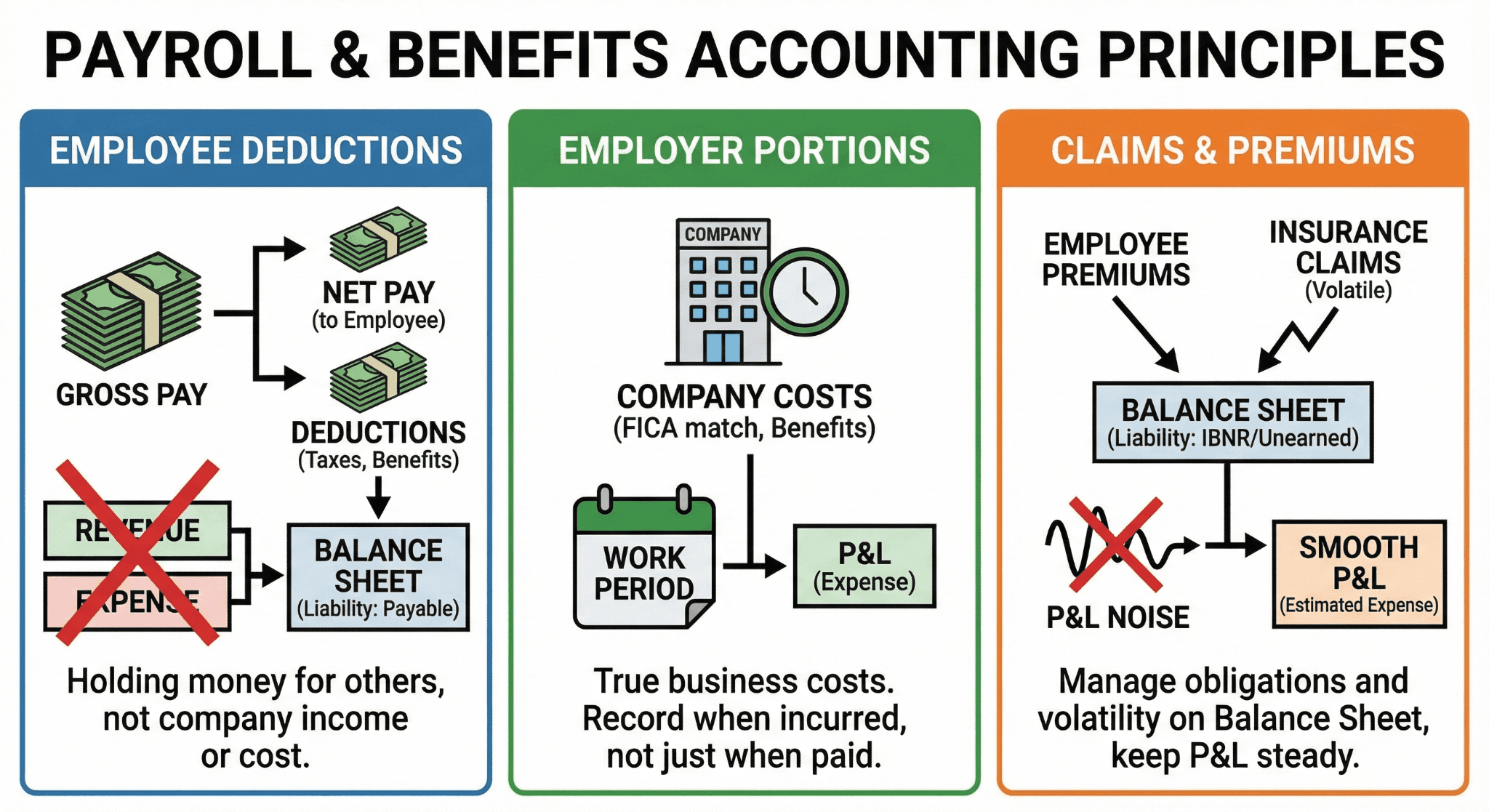
Employee deductions are not revenue and not expenses.
Employer portions are expenses, but timing matters.
Claims and employee premiums create liabilities, not P&L noise.
Correct mapping is the foundation for GAAP-compliant self-funded accounting.
Executive Summary
QuickBooks Online payroll was built for fully insured plans. Self-funded insurance turns that design assumption upside down. Instead of paying fixed premiums to an insurer, the employer pays claims, admin fees, and stop-loss premiums while temporarily holding employee contributions.
That distinction matters.
Under US GAAP, employee payroll deductions for self-funded insurance are plan assets or plan liabilities, not income. Employer portions are compensation expense, but only to the extent benefits are earned during the period. Claims paid are settlements of liabilities, not new expenses if already accrued.
QuickBooks Online does not enforce any of this. It posts based on payroll items, default expense mappings, and cash activity. Unless mappings are designed intentionally, financials will be wrong even if payroll is processed correctly.
This article explains, step by step, how to map employee and employer portions of self-funded insurance in QuickBooks Online so the balance sheet, income statement, and payroll reports remain US GAAP compliant and audit-defensible.
What Makes Self-Funded Insurance Different
Before touching QuickBooks Online, the accounting model must be clear.
Fully Insured Plan (QuickBooks Online Friendly)
Employer pays a fixed premium
Insurance company bears claim risk
Payroll deductions reduce premium
Expense equals premium
Self-Funded Plan (QuickBooks Online Hostile)
Employer bears claim risk
Employer pays claims as they arise
Employee deductions fund part of claims
Employer holds money temporarily
Liabilities accumulate and reverse
QuickBooks Online treats both as “insurance.” US GAAP does not.
The Core Accounting Question
For every payroll run, ask two questions:
Who owns the money?
Is this an expense, a liability, or a settlement?
If you answer those correctly, mapping becomes obvious.
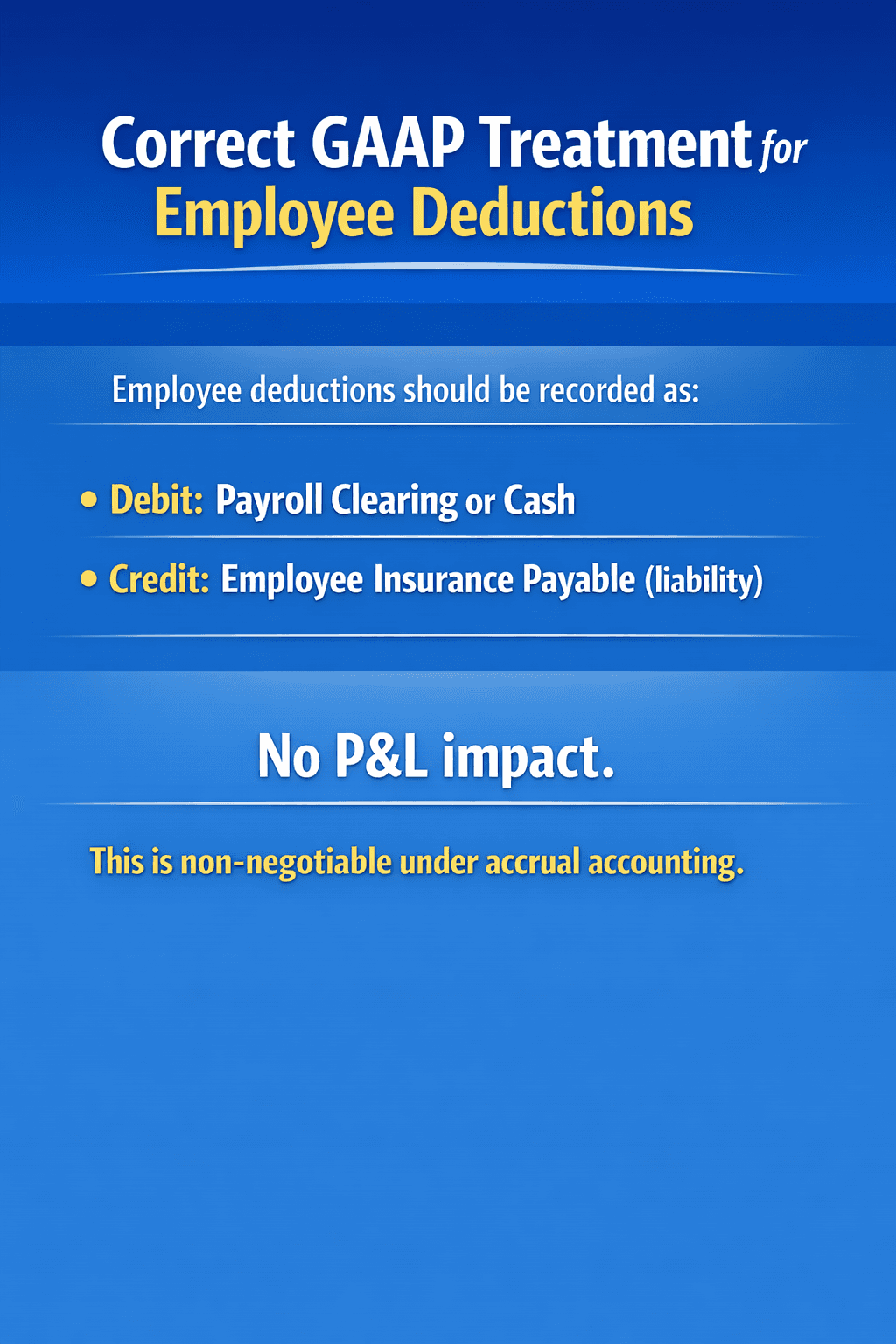
Employee Contributions: Not Revenue, Not Expense
This is the most common error.
What Users Often Do
Map employee deductions to “Insurance Expense”
Let payroll reduce net pay and post expense
Ignore the balance sheet impact
Why That Is Wrong
Employee contributions for self-funded insurance:
Belong to the plan, not the employer
Are withheld amounts
Create a liability until claims or refunds occur
Recognizing them as expense inflates costs and distorts margins.
Employer Portion: Expense With Timing Discipline
Employer contributions are compensation cost.
However:
Expense follows service period
Payment timing does not control recognition
Claims paid are not automatically expense
The employer portion must be separated from cash movements.
The Three Buckets You Must Create in QuickBooks Online
To map correctly, QuickBooks Online needs structure.
Minimum Required Accounts
Employee Insurance Payable (Liability)
Self-Funded Insurance Expense (Expense)
Self-Funded Claims Payable (Liability)
Optional but recommended:
Prepaid Claims
Stop-Loss Insurance Expense
Plan Administrative Fees
Without these, everything collapses into one number.
Payroll Item Mapping: Where Things Usually Break
QuickBooks Online payroll lets you map deductions and contributions, but defaults are misleading.
Employee Deduction Mapping
Correct mapping:
Payroll item → Liability account
Incorrect mapping:
Payroll item → Insurance expense
The incorrect option looks “reasonable” and is wrong.
Employer Contribution Mapping
Employer contributions should map to:
Expense account (for accrual recognition)
Or liability account if you accrue separately
What matters is consistency and reconciliation.
Practical QuickBooks Online Setup: Step by Step
Step 1: Create Liability Accounts
Create these under Chart of Accounts:
Employee Insurance Payable
Self-Funded Claims Payable
Account type: Other Current Liability
Step 2: Configure Payroll Deductions
For employee deductions:
Go to Payroll Settings
Edit insurance deduction
Set posting account to Employee Insurance Payable
Do not map to expense.
Step 3: Configure Employer Contributions
Two acceptable methods:
Method A: Expense on Payroll Date
Employer contribution → Insurance Expense
Use if accrual timing closely matches payroll.
Method B: Accrual First, Expense via Journal Entry
Employer contribution → Liability
Monthly accrual → Expense
Preferred for GAAP consistency.
Claims Payments: Settlement, Not Expense
This is where self-funded plans confuse everyone.
Common Mistake
Pay medical claim
Code to Insurance Expense
Correct Treatment
If claims were accrued:
Debit Claims Payable
Credit Cash
No new expense.
If not accrued:
Expense only the portion earned in period
Accrue remaining exposure
Case Scenario 1: Employee Deductions Misclassified as Expense
Company Profile
Manufacturing company, 180 employees.
Issue
Employee deductions posted to insurance expense.
Impact
Expenses overstated
EBITDA understated
Liabilities understated
Fix
Reclassify historical deductions
Correct payroll mapping
Implement liability reconciliation
Result
Margins normalized. Audit adjustment avoided.
Case Scenario 2: Employer Contributions Paid Through Claims
Company Profile
Tech company with TPA-administered self-funded plan.
Issue
Employer portion implicitly paid through claim reimbursements.
Problem
Expense recognition tied to cash claims, not service period.
Fix
Accrue employer portion monthly
Use claims payable to clear cash
Outcome
Predictable monthly expense. Reduced volatility.
Why Self-Funded Plans Require Liability Thinking
Self-funded insurance behaves like a short-term obligation pool.
Claims incurred but not reported
Employee money held temporarily
Employer exposure fluctuates
Treating this as “just insurance expense” hides risk.
GAAP Anchors You Must Respect
Relevant guidance includes:
ASC 710 – Compensation
ASC 450 – Loss contingencies
ASC 405 – Liabilities
Together they require recognition of obligations when probable and estimable.
Claims exposure qualifies.
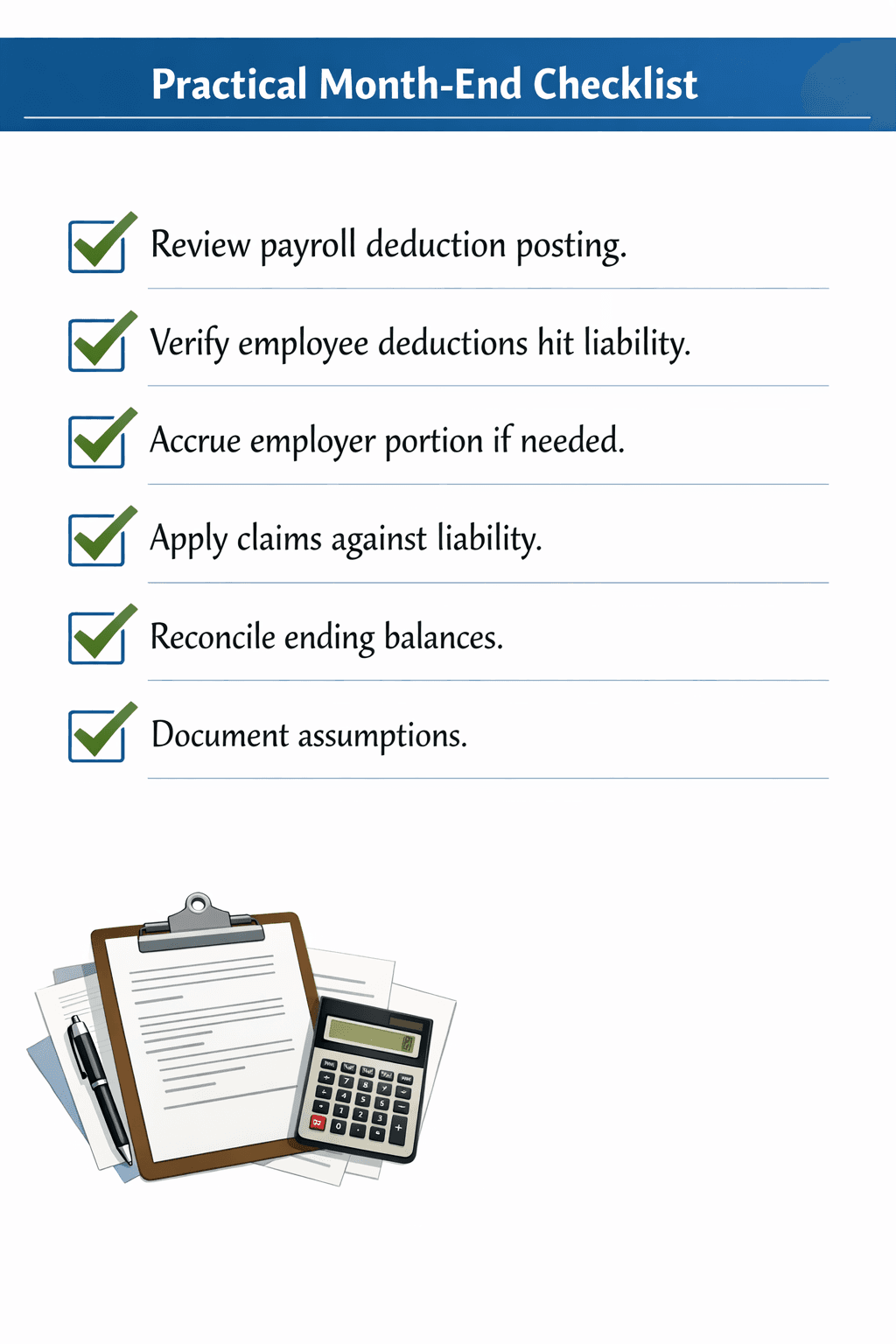
Reconciliation: The Non-Optional Control
Every month, reconcile:
Opening Employee Insurance Payable
Plus payroll deductions
Minus claims applied
Equals ending balance
If this does not tie, mapping fails.

Mini-Case: Audit Red Flag from Poor Mapping
Finding
Employee insurance payable had a credit balance that never cleared.
Cause
Claims coded to expense, not liability.
Resolution
Rebuild mapping. Restate prior periods.
Lesson
Mapping errors accumulate silently.
Tool and Workflow Comparison
Approach | Accuracy | Effort | Audit Risk |
Default QuickBooks Online mapping | Low | Low | High |
Manual reclasses | Medium | High | Medium |
Proper payroll mapping with FinBoard.ai | High | Medium | Low |
Common Pushback and Reality
“QuickBooks Online does not support self-funded plans.”
It does, if you use liabilities correctly.
“This is too complex for SMBs.”
Incorrect mapping is more costly.
“Auditors never asked before.”
They will when amounts grow.
FAQ
Are employee deductions income?
No.
Are claims always expenses?
No, not if accrued.
Can this be automated?
Partially. Judgment remains.
Is this GAAP required?
Yes, under accrual accounting.
Glossary
Self-Funded Plan
Employer bears claim risk.
Employee Insurance Payable
Liability for withheld employee contributions.
Claims Payable
Liability for incurred medical claims.
IBNR
Incurred but not reported claims.